Showing posts with label Jade Woodley. Show all posts

Monday, 4 April 2011

Evaluation Part 3

The questionarre is what was sent around 20 of my target audience.


Filled in Questionarres:


The moodboard shows the comments that people left on the questionarre's about my teaser trailer.


Evaluation Part 2

Saturday, 2 April 2011

Evaluation Part 1

Please click the Images to Enlarge


Monday, 7 February 2011

Finished Teaser Trailer

Below shows my finished teaser trailer with music and all of the transitions and skills I have used whilst Editing. The finished trailer is 30 seconds long which out of the examples I looked at is and appropriate length.


My Teaser Trailer Control-

Wednesday, 12 January 2011

My Teaser Trailer So Far

Here is the first draft of my teaser trailer.


This is half of my teaser trailer I still have more to film which I hope to be doing later this week. I have found that the editing makes the film lot more proffesional and by adding titles my footage is beginning to resemble a teaser trailer.

After recieving feedback from my peer the first set of titles I used did not match the thriller style. Therefore the current ones are more effective. Also the text on the poster and the magazine cover for 'CONTROL' is the same as what I have used for the teaser trailer this shows that there is a theme, also that the advertising products link.

I have decided that the correct length for my teaser trailer is 30-40 seconds. By using a range of shots I beleive it adds variety to my teaser trailer.

However I still have more to film this is mainly of the weapon as through the examples I have looked at this is a main convention specifically to a thriller. Also tommrow I am going to look for suitable music for my thriller as the ones I have tried sofar do not create the correct atmosphere.

Friday, 7 January 2011

Editing Progress


The first print screen shows the location where you drag clips and titles from when you are on adobe premier pro. The ones with the speaker show the music that I have decoded to use or experiment with on my teaser trailer. The ones with film clips besides them are all of the titles I have used in my teaser trailer, these were a main focus when I looked at examples of teaser trailers. I have created my own folder on the mac so it is easier to access all of my own footage.


This shot shot shows the sequence of events in my teaser trailer. In the top row are my titles. In my trailer I wanted these on a black background as these stand out and are easier to read. The next video row shows my footage and the transitions I have used. I enjoyed experimenting with these the most common ones I used were different types of fades. In the first Audio row I have clicked and dragged the music into the column, I have placed it correctly to line it up with the film. Then at the end have added a fade so that the teaser trailer ends with the 'control' title. The music sounds better faded out if not it ends to harsh which sounds unprofessional.


This shot shows one of my titles. I found it hard to finally chose a suitable font to use looking through both serif and sans serif font. In the end I decided to use 'times new roman' for all of my titles. I decided this as it matched with the font I had written control in on one of my auxiliary tasks the poster and also for the word control on the magazine cover. By doing this I believe it makes my tasks look more like a whole promotional package for a teaser trailer. I knew that I wanted to use a black background and then to have white text as this was a common convention in the examples I had looked at. Also because the colours contrast each other they are easy to read from a distance. I then experimented with different glow effects, I added a small one to my titles as this looked more professional and added a mysterious effect. I repeated this for the rest of my titles. The title shown in the print screen shows 'a game of' this links onto the next slide therefore I was debating about whether to put full stops at the end of it.


This shot shows the title with dots however I believe that this does not look very effective and by being on a separate line makes the title look unprofessional therefore I went back to the original title and placed this onto my actual teaser trailer.


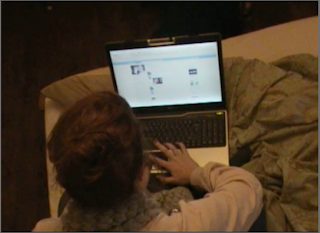


This screen shot shows a complete title where the subtle glow adds a element of shadow and mystery and the white stands out on the black.

Editing has therefore been very succesful and my teaser trailer is nearly complete.

Wednesday, 5 January 2011

Editing So Far

Today I spent time continuing editing on the Mac.

First of all I zoomed closley in to the shots that I had already filmed so that each clip was a lot bigger. This enabled me to cut down the shots more accuratly and ment that the shots flowed better between them and looked more like a film trailer when they were shorter.

Next I began to add in transitions, once I had finished cutting down and placing the footage together I found that the best transitions to used were cross fade and addictive disolve. I experimented with many other however they did not look as professional and did not fit the thriller genre of my teaser trailer.

Then I searched though you tube to find and add in some music to my teaser trailer, however I found that the music I had didnt fit after I had continued editing, therefore i will continue to look for some good music.

The next time I look for some music I need a track that creates a creepy atmosphere as this is a very important convention which I learnt from the examples of teaser trailers I have looked at.

By seeing the amount of footage that I currently have I have established what more needs to be filmed. I still need to film some more mysterious fottage of the male in the trailer, also the weapon needs to be filmed. This will be completed on Monday 10th January.

Throughout the editing process so far this year I have also learnt how to duplicate a shot, as I had one shot which I needed to use twice in my teaser trailer. All I had to do was copy the shot, then move the red line to where I wanted the shot to be.

So far editing is going well next time I edit I plan to experiment with changing the contrast and brightness with different shots. I also would like to add some better music to the trailer as the current one does not match the shots or create an atmosphere.

Tuesday, 4 January 2011

The Beginning of Editing

After college today I began re playing all of the current clips which I had filmed. I had about 30mins of footage so far. I knew that this would have to be heavily cut down which would be quite time consuming.
Therefore I spent my time doing this and ended up with about 1 minuet of good shots which I wanted to use. Now I have familiarised myself with the software again I started moving the clips around so that I had a basic order for my teaser trailer.

Filming Update

I have begun filming which was very succesful however the weather conditions were very hard to deal with as I had to keep cleaning the camera lense. Some shots worked better and others and I found I had to work in small spaces to gain the shots that I required.

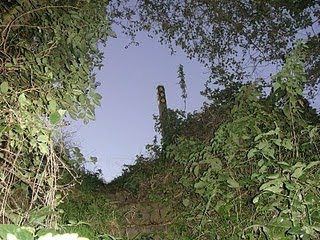
There were also problems with the steps I planned to use in my film as when I filmed them at dusk they were not visible so I have decided to use the directional sign as a vocal point.

Thursday, 16 December 2010

Filming The Beginning

Last night I went out and filmed a few shots that do not need to have characters in. I found by the time I went outside I only had 20 minuets to film. Thereofre when I go out and film tonight I am going out an hour earlier so that I have time to complete more filming. As when it got to dark last night even with the torch the camera had no definition and everything just looked black.

When filming the shots last night I had a torch with me which made the shots look more mysterious to fit the thriller genre. I hope tonights filming is succesful, and that the weather allows me to film. Then after christmas I can begin editing. Also due to some shots being filmed inside these can be filmed whenever so they will be completed tonight by using many different angles such as high angle low angle zooms and pans.

Wednesday, 15 December 2010

Technology I have Used


Filming Begins

I am going to begin filming shots of the location tonight and then tommorow evening I hope to film with my main character so that i have most of the footage. I will go out as it begins to get dark. I will use a college harddrive camera. I will use many different shots the footage will then be uploaded on friday.

Monday, 13 December 2010

Music

Finding music for my teaser trailer, to me was one of the most challenging parts as I found it hard to source what I wanted. I searched through lots of different tracks but couldnt find anything that would fit my teaser trailer. I tried the two songs below with my teaser trailer however they did not create the correct atmosphere.

Schindler's List-

http://www.youtube.com/watch?v=yMx2SKIRkw4


I looked into this music as I knew it would create a uncomfortable and eerie atmosphere. However when I placed this track on the footage that had been shot, it moved to slow and did not fit in with the style of the teaser trailer.

Bullet Proof-


http://www.youtube.com/watch?v=p-WMpc61wpk


I the experimented with using the opening to this track before the singing began however I found that after recieving feedback from other media students it was to robotic. Also it did not create the desired atmosphere.

I therefore had to continue my search for music for my teaser trailer. This was very time consuming and caused a delay as I needed the music to be able to continue editing, so the shots fit with the music.
I then found some music that will fit my film.
Something on the track by Harry Gregson Williams
http://www.youtube.com/watch?v=alztY5QCXHE


This music had a faster tempo which fit the pace of my shots, also it helped to create a unexpected and thrilling atmosphere. The music is very eerie and creepy. Therefore as the music changes pace this can fit with my shots throughout the editing process.

Friday, 10 December 2010

What needs to be done before Christmas

  • Filming- Due to illness of my actors and actress's this has had to be postponed. This has been re schedualed for Wednesday 15th December.

  • Upload the footage filmed so far onto the Mac

  • Select a choice of music for my thriller

Monday, 6 December 2010

Music For my Thriller Trailer

To do this I am going to lok through You Tube for differnt styles I will then place different examples on my blog so that I know all of my options I will then compare them all and when editing place a final two over the trailer to see which sounds the best.


1. Something on the Track

Tuesday, 30 November 2010

Finished Poster

Finishing off the poster:

Images

Colour scheme

Editing of Images

Tag line

Texts (sizes and styles)

Overall


The videoclip in this blog will give all information on my poster. The finish product is shown below.


Problems


I have found that their are issues with filming this week due to problems with transport due to bad weather, therefore I am going to re schedual to next week. I now hope to film some shots next Wednesday dependant of the weather conditions. I will then be able to finally begin editing.


Also I have had trouble with inserting a voice clip into tho blog I am hoping to solve this problem today by gaining help from a technition as i have tried to embed it twice and it has not been succesful.

Tuesday, 23 November 2010

Filming

I am hoping to start filming next week as I will then have a better idea of the right time of night to film. I know that I will have a preference of dusk so that will probably be around 4.30pm. I will discuss with Naomi and Alex when they are free next week Once I have basic shots this will then help me to identify other shots that I need for my teaser trailer. Also i will be able to identify what shots will look most effective.

Once I have filmed the basics I can then begin editing.

Saturday, 20 November 2010

Filming Timetable

The table below shows the timetable for filming and editing and what I plan to accomplish in each stage.

Tuesday, 26 October 2010

Possible Shots

In my auxillary tasks and main task I plan to use a range of shots.

Close up: I will hope to use a close up to show emotion


Mid Shot I will use mid shots as they can show body movement and also capture emotion in an individuals face.


Longshot: This will be used to show scale of a building or distance.


High angle Shot: This can be used to show how small something is and to demonstrate lower status.


Low Angle Shot: Can be used to show the size of a large object, or dominance of a person. It also looks like someone could be trapped and are looking for a way out.


Also I will use text for the titles so these will be added in when editing.